Encrypted · Cloudflare R2

Save & share

Save this analysis for 7 days. Copy one link to reopen it or share it with someone. No account or file download needed.

  • Your browser applies standard redaction, then encrypts the analysis before uploading it to Cloudflare R2.
  • Anyone with the complete link can read it. Redaction is partial: identifiers, small numbers, and sensitive values in other fields may remain. Review your inputs first.

Keep the complete link to reopen this snapshot. It expires after seven days; this is not permanent storage.

This is a snapshot. Later edits do not change this link.

Optional: delete before expiry

You can delete from this page without a file. To delete after leaving, save the private deletion receipt. It cannot read the analysis and is not saved in this browser.

Delete a stored share

Choose your private deletion receipt, then confirm deletion. No account needed. Deletion does not remove copies others have downloaded.

Prefer not to upload? . Offline copies are also available. Privacy

Copy your URL-only link

Clipboard unavailable. Copy the selected link below. It contains your bundle; nothing was uploaded.

Comparison roles required

Choose the baseline and candidate

These files do not declare comparison roles. Choose exactly one baseline and one candidate. Names such as current, production, or PR are labels only and are never interpreted automatically.

CH Query
Plan Findings Server For agents
More
Two runs · one shareable link

Did the revision help?

Keep the original. Add the revision. See what the evidence supports.

Paste analysis links from your agent or Save & share. Compare locally, then save both runs and your notes in one encrypted seven-day link. Nothing uploads until you choose.

Reopen a saved comparison
Or import an offline copy
Ask your agent for a candidate

Keep the baseline here. Paste this into the conversation where you are revising the query, then paste the returned analysis link into Candidate below.

Keep our original ClickHouse query and its evidence unchanged as the baseline. For the revision we agreed on, follow https://chquery.com/llms-full.txt and return a separate candidate analysis link for CH Query, without uploading. Ask which baseline and revision if they are unclear. Use only permissions already explicitly granted in this conversation; this prompt grants no new database access, query execution, benchmarks, setting changes, uploads or sharing. Keep measurements tied to the exact query they describe. State whether result correctness was checked, and distinguish plan changes from measured improvements.
Hypothesis & correctness assertions

Author assertions only. Equal SQL, plans or row counts do not prove equivalent results.

Import a baseline and candidate bundle to begin.

Explore comparison evidence

Evidence pages preserve source text. Operator lists use role-local addresses, not cross-run identities. Correspondence is heuristic.

Keep the evidence together

Save & share this comparison

One link reopens the baseline, candidate, and included hypothesis and correctness notes. Review the snapshot, then choose encrypted seven-day storage. No file handoff needed.

Explicitly omit optional evidence

Partial redaction can leave identifiers, small numbers, DDL, provenance and unsupported fields sensitive. Inspect the complete outgoing snapshot.

Review your snapshot

Offline copies & reports

Optional fallback. Reviewed copies require the same review and confirmation above. Full source is unredacted and can contain private metadata.

See the shape of your query.

Paste ClickHouse EXPLAIN output. CH Query draws the plan and shows you where to look first. Nothing leaves your browser.

or drop a file ·

·

Or hand this to your agent

Use https://chquery.com/llms.txt to review the ClickHouse query in this conversation. Send me one CH Query link.

Live example · a cohort leaderboard over actors

Explore the plan ↓

Loading the example plan…

A complex analytical query, ready to explore. Select a stage to follow its dependencies.

View example SQL & source

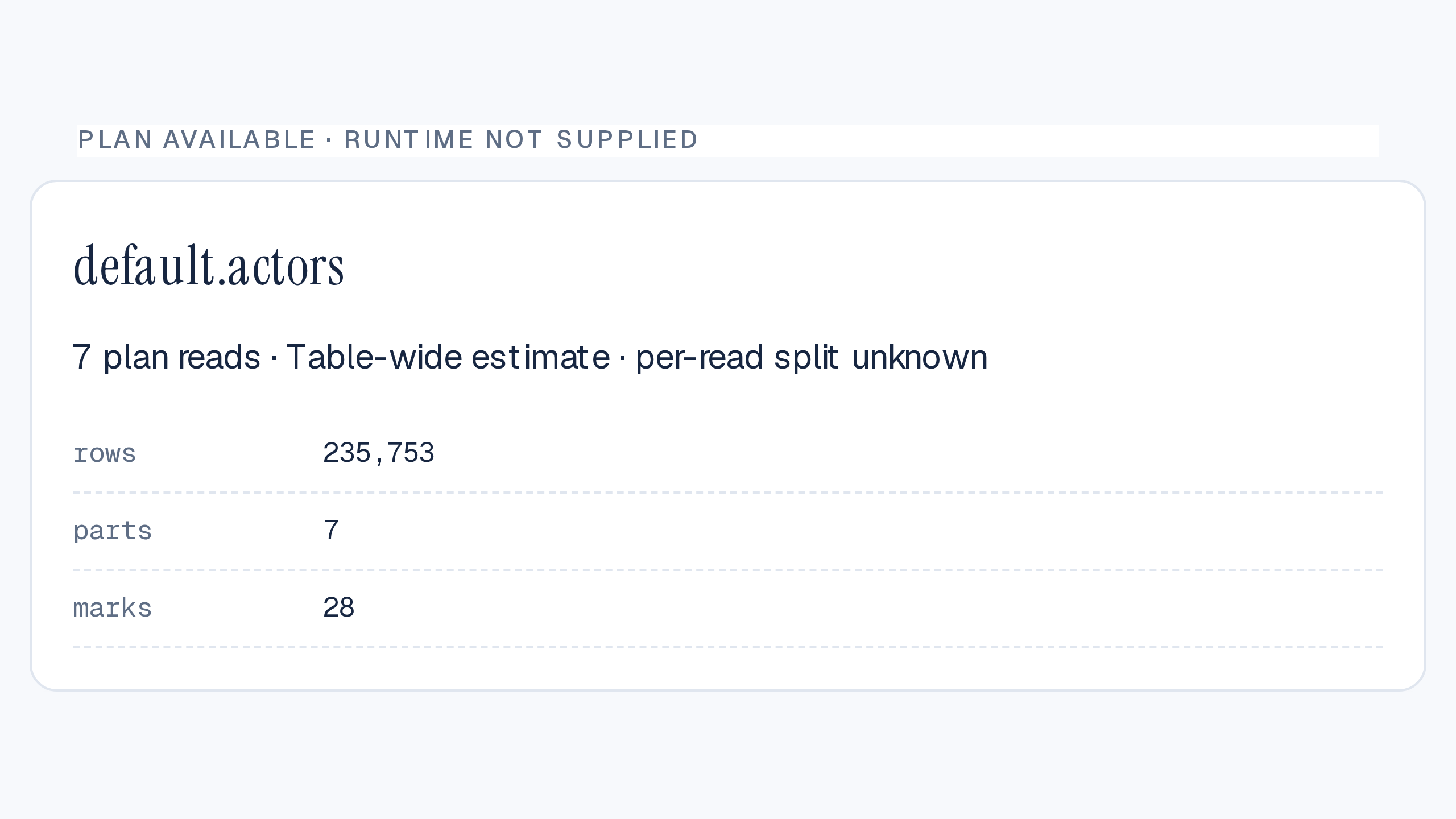
Captured from the public ClickHouse Playground on September 8, 2026 (26.9.1.52). EXPLAIN only; no measured runtime. The combined table estimate cannot be allocated to individual reads. Inspect the complete captured bundle.

Query

More

Load a plan to explore its steps.

How to read this map

ReadJoin / unionAggregate / filterSort / window

Lines show dependencies. When every input has a scan estimate, width scales logarithmically with estimated input rows (1.5–6px); otherwise every line is 2px. These are not measured output rows.

Color identifies the operation, not cost.

Scan estimates and granule pruning are not execution cost. Scan estimates are not measured output rows.

A list with no actionable finding is not a health certificate.

Click or Enter to inspect. Double-click a stack to expand it. Arrow keys follow neighbours. / searches, F fits, − / + zoom, Escape closes the inspector.

Sources → ResultDependencies, not volume · Drag to explore · Fit for overview

Evidence Waiting
Original query
SQL context
Missing
Query plan
EXPLAIN PLAN JSON
Missing
Table statistics
EXPLAIN ESTIMATE
Missing
Server & settings
Version, Cloud, changed settings
Optional
Run summary Empty

Load evidence to see plan counts and selected granules.

SQL excerptNo query loaded
No SQL provided.
100%
⋯

No plan loaded

Open the wizard or import a bundle.

Result
Join
ReadFromMergeTree
Selected step
Select a node to inspect rows, selectivity, indexes, and findings.
Raw evidence
No step selected.
One thing to try
Waiting for evidence
Worth a look

Repeated reads of actors

One thing to try — inspect whether the location aggregates could share work.

Derived from plan

Findings.

Load a plan to see findings.

Server.

No server information in this bundle.

Manual collection · stays in this browser

Analyze your query

Paste your SQL and its ClickHouse plan. CH Query never connects to your database or executes a query.

1

Original SQL

Paste one SELECT or WITH query. Your text is preserved unchanged.

Enter one SELECT or WITH query.

2

Query plan

Run this generated statement in your approved client, then paste the raw JSON result.


Permissions, formats and compatibility

Access denied? Ask about read access to the referenced table, not administrator credentials. A valid plan is required. Copy raw output with TSVRaw; never globally replace JSON escapes.

Canonical collection was checked on local 26.3.31.5, 26.7.6.57 and 26.8.2.7 servers, not ClickHouse Cloud. Missing index detail stays unknown. From 25.9, index reporting can depend on query-condition-cache and skip-index settings. This command does not override your settings. Do not substitute EXPLAIN ANALYZE: it executes the query.

Optional: name this analysis
Optional scan estimatesImprove table-read and granule context

Run separately and paste JSONEachRow or a JSON array. No rows, access denied, or unsupported engine? Leave blank.


Optional executed plan (ANALYZE)Measured rows and stage wall times · ClickHouse 26.7/26.8

Paste an existing approved EXPLAIN ANALYZE … FORMAT TSVRaw capture. ANALYZE executes the query; CH Query does not run it or authorize a new execution. Use the same original SQL, settings and schema as the plan, without compact output.

Matching requires the whole ordered tree and descriptions. Changed or ambiguous trees remain unmapped. Large row counts are rounded; stage wall times overlap and must not be summed. Raw ANALYZE stays in local bundles but is omitted from privacy-protected shares because it can contain sensitive expressions.

Optional server & settingsAdd version-aware context

Run each statement separately in the same session used for EXPLAIN. Leave unavailable fields blank.

Copy server and settings SQL

Version: paste the single value below. Unknown versions remain usable without version-relative advice.


Deployment: choose Cloud for 1 or self-hosted for 0. No returned row means unknown, not self-hosted.


Changed settings: paste the returned JSONEachRow. Keep default values as strings.


If your version reports an unknown default column, this fallback omits it. Do not invent defaults.


Advanced optional evidence

Pipeline and schema are not required. You can keep them in an imported bundle or ask your agent to add them. Pipeline output is text; schema DDL can contain private identifiers, comments or defaults. Review before sharing.

For a table in the plan, use SHOW CREATE TABLE in your SQL client. Quote the database/table identifiers as your client requires. Do not collect row data or credentials.

Add original SQL and a query plan to continue.

Collect runtime manually

Optional measurements from one already-authorized completed run. This app does not connect to your database. Do not rerun the query, benchmark, flush logs or change settings.

1. Collect from your SQL client


No matching row? Logs may be delayed, inaccessible or on another node. Cancel and keep metrics unknown; do not broaden the log search. More than one row? Select the intended run in your client, not with LIMIT 1. Query IDs and time windows are never saved in the bundle.

Only read_rows, read_bytes, result_rows, memory_usage (bytes), query_duration_ms (milliseconds). Omit missing fields; actual zeros are measurements. Saving replaces the previous run’s metrics and provenance, rather than mixing runs.

A top-level log record alone does not establish the scope of every distributed metric. No scope or execution status is assumed.

CH Query is an independent EXPLAIN visualizer for ClickHouse. Shenandoah · Privacy.
ClickHouse is a registered trademark of ClickHouse, Inc. CH Query is not affiliated with or endorsed by ClickHouse, Inc.